

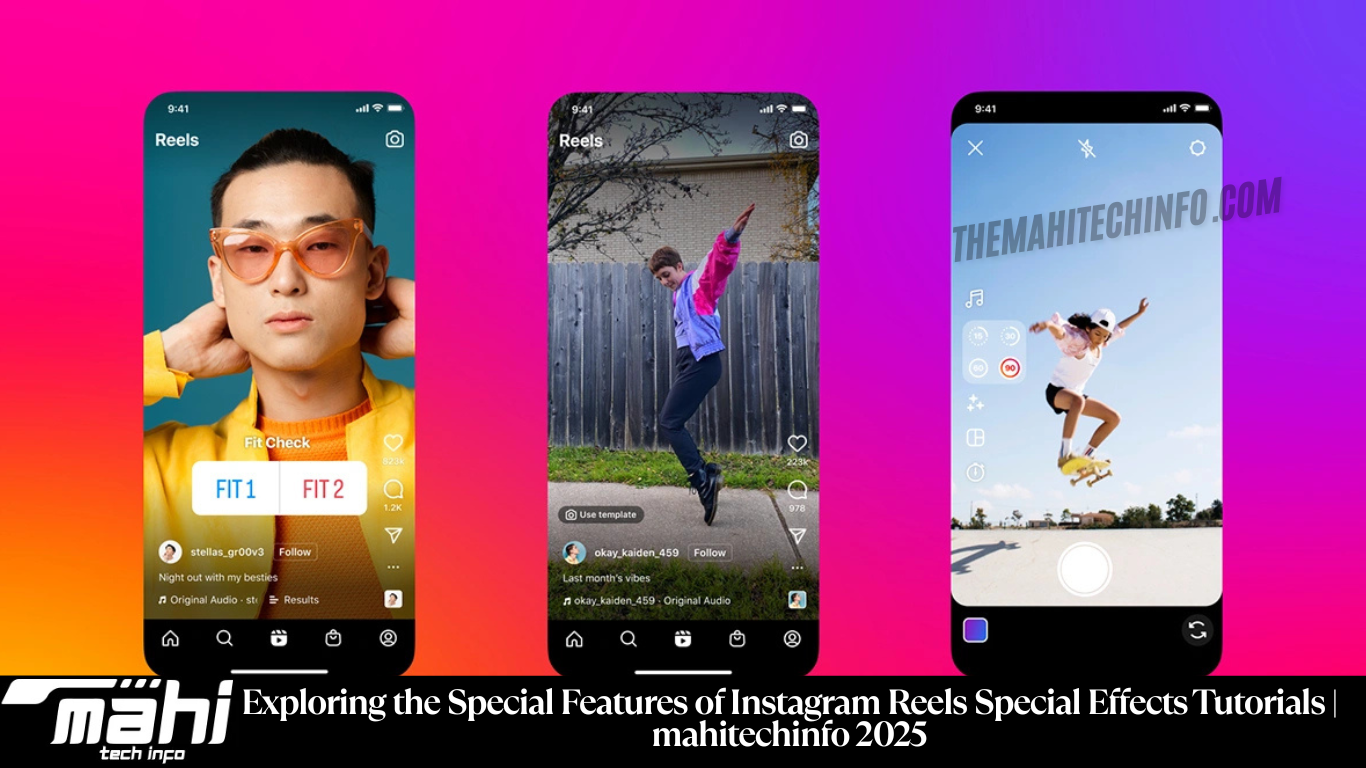
Exploring the Special Features of Instagram Reels Special Effects Tutorials
Instagram Reels has rapidly evolved into one of the most dynamic platforms for creative storytelling and digital expression. With its vast array of built-in tools and special effects, Reels empowers users—from beginners to professional creators—to produce visually engaging, high-quality videos that resonate with audiences worldwide. Whether you’re a social media influencer, a brand marketer, or a casual creator, understanding the special features of Instagram Reels can significantly enhance your content strategy. Let’s explore these unique features in detail.
1. Multi-Clip Editing
Instagram Reels offers an incredibly versatile multi-clip editing feature that allows users to seamlessly merge multiple short clips into one cohesive video. This functionality enables creators to build engaging narratives, add creative transitions, and experiment with different perspectives—all within the 90-second limit of a Reel. By combining clips, you can craft mini-stories that captivate your viewers and keep them watching till the end. This feature is especially useful for tutorials, product showcases, and storytelling formats where continuity and visual flow are crucial.
2. Music Integration
One of the most popular and defining aspects of Reels is its music integration feature. With access to Instagram’s extensive music library, users can easily add trending songs, background tracks, or original audio to their videos. This not only enhances the emotional impact of your content but also increases its discoverability since popular audio tracks often trend across the platform. Perfectly syncing your visuals to beats or lyrics can elevate your video’s aesthetic and make it more memorable for your audience
3. AR Effects and Filters
Instagram’s AR effects and filters bring an additional layer of creativity to Reels. From fun, face-distorting filters to advanced augmented reality overlays, these effects allow creators to experiment with visual styles that stand out in the feed. Whether you’re aiming for a cinematic look, an artistic touch, or just playful fun, AR tools help personalize your videos while maintaining a professional appeal. These filters can transform ordinary footage into engaging visual experiences that align perfectly with your theme or trend.
4. Speed Controls
Reels provides precise speed control options, allowing you to either slow down or speed up your clips. This creative tool helps in setting the perfect tone for your video—slowing down clips for dramatic emphasis or speeding them up for humor, energy, or action-packed sequences. Speed adjustment is an essential element for storytelling on Reels, giving creators more freedom to craft visually dynamic and emotionally engaging content that captures attention within seconds.
5. Interactive Elements
What makes Reels even more engaging is the inclusion of interactive elements such as polls, quizzes, countdowns, and question stickers. These features allow creators to connect directly with their audience and transform passive viewers into active participants. Whether you’re promoting a product launch, hosting a Q&A session, or encouraging followers to share their opinions, interactive tools help build stronger community engagement and foster a sense of belonging among your audience.
6. Align and Timer Tools
The Align and Timer tools are among the most practical and user-friendly features of Instagram Reels. The Align tool ensures perfect transitions between clips by helping creators maintain consistent positioning, lighting, and framing. Meanwhile, the Timer tool allows you to set specific clip durations before recording, giving you precise control over timing and pacing. These tools are particularly useful for transitions, outfit changes, or any creative edit that requires seamless continuity.
7. Explore Page Exposure
One of the biggest advantages of using Instagram Reels is the Explore page exposure. Instagram’s algorithm actively promotes Reels to the Explore page, giving creators the opportunity to reach millions of potential viewers beyond their followers. This feature significantly boosts content visibility, making it easier for new creators to grow their audience and for brands to gain wider recognition. Optimizing your Reels with trending hashtags, high-quality visuals, and engaging captions can further improve your chances of getting featured on the Explore page.
Read more: How to Increase Blogger AdSense RPM Just 2 Minutes | mahi tech info 2025
Frequently Asked Questions(FAQs)
1. What are the key benefits of using Instagram Reels’ special effects for creators?
Instagram Reels’ special effects allow creators to enhance storytelling, boost creativity, and make their content visually appealing. Features like AR filters, music integration, and speed control help users produce professional-quality videos that stand out on the Explore page. These tools also make it easier to follow trends and connect with a broader audience.
2. How can I use music and sound effects effectively in my Reels?
To use music effectively, select trending or mood-appropriate tracks from Instagram’s library. Sync your video cuts or transitions to the beat for added impact. You can also record original audio or voiceovers to personalize your content. Proper sound design not only improves engagement but also makes your Reels more discoverable in trending sections.
3. What is the purpose of the Align and Timer tools in Instagram Reels?
The Align tool ensures continuity between clips by aligning previous frames, making transitions smoother—ideal for outfit changes or transformation videos. The Timer tool allows you to set precise recording durations hands-free, enabling better control over timing and pacing. These tools simplify editing and ensure your final video looks professional and seamless.
4. How do AR filters and visual effects help in building a unique content style?
AR filters and effects help establish a recognizable aesthetic that sets creators apart. Whether you choose cinematic tones, artistic overlays, or playful distortions, these tools add personality to your content. Consistently using a particular style or filter can also strengthen your brand identity and make your Reels instantly recognizable to viewers.
5. How can creators increase visibility and reach on Instagram Reels?
To boost visibility, use relevant hashtags, trending sounds, and high-quality visuals. Posting consistently, engaging with comments, and leveraging the Explore page exposure feature can help attract more followers. Collaborating with other creators and participating in trending challenges also enhances reach and builds a loyal audience base.
Conclusion
Instagram Reels offers a powerful suite of features designed to empower creators and brands alike. From multi-clip editing and music integration to AR effects and interactive tools, these elements make it easy to craft engaging, professional-grade videos. By mastering these features and optimizing your content for discovery, you can effectively express creativity, boost audience engagement, and grow your online presence. Whether for personal expression or marketing, Reels provides the perfect space to transform ideas into captivating visual stories.